Bulk-generate & schedule posts in seconds with Smart Scheduling. Try now!
12 best social media scheduling tools for 2026
 Published by Sadia
Social media scheduling tools sit at the heart of a consistent, engaging presence in 2026. The right social media scheduler helps businesses and creators manage multiple social media accounts from a single dashboard, schedule posts across channels, and stay visible without spending all day in every app.
In this guide, you’ll learn how to evaluate social media scheduling platforms, which features matter most, and which tools are worth your budget. We’ll then walk through 12 of the best social media scheduling tools (including free options) for agencies, brands, content creators, and enterprise teams.
What are social media scheduling tools, and who are they for

At a basic level, social media scheduling tools let you plan, create, and queue posts for multiple networks from a single dashboard. Instead of manually publishing to Facebook, Instagram, LinkedIn, X (Twitter), TikTok, and more one by one, you add posts to a calendar, and the platform publishes them automatically at the times you choose.
Modern social media scheduling platforms often combine content ideation and AI-assisted writing, visual content calendars, unified inboxes for comments and DMs, analytics and reporting powered by social media analytics research, and collaboration and approval workflows.
These tools are especially useful if:
- You manage several profiles or brands
- You need to coordinate with a team or clients
- You want data to guide your posting times and content mix
- You batch-create content and prefer to schedule social media posts ahead of time
Who gets the most value from a social media scheduler
- Social media marketers and agencies: Managing many profiles and campaigns requires reliable scheduling, client approvals, and reporting.
- In-house marketing teams: Need to align social media with broader content strategy, launches, and campaigns.
- Small businesses and solopreneurs: Limited time makes it hard to post daily; a social media scheduling tool keeps feeds active while you run the business.
- Content creators and influencers: Can repurpose content across channels, test formats, and grow consistently without being online 24/7.
When manual posting still makes more sense
Social media scheduling tools aren’t mandatory for everyone. Manual or native scheduling can be better if:
- You cover live events or breaking news: Real-time reactions and commentary are hard to pre-plan.
- You manage only a single profile: Native schedulers (e.g., Meta Business Suite, LinkedIn’s scheduler) might be enough.
- You prioritize instant engagement: If your strategy leans heavily on live replies, manual posting and monitoring can feel more natural.
- You feel overwhelmed by dashboards: Some social media scheduling platforms are feature-rich and can take time to learn. If that’s a barrier, start with lighter tools or native schedulers first.
How to choose the right social media scheduling tool
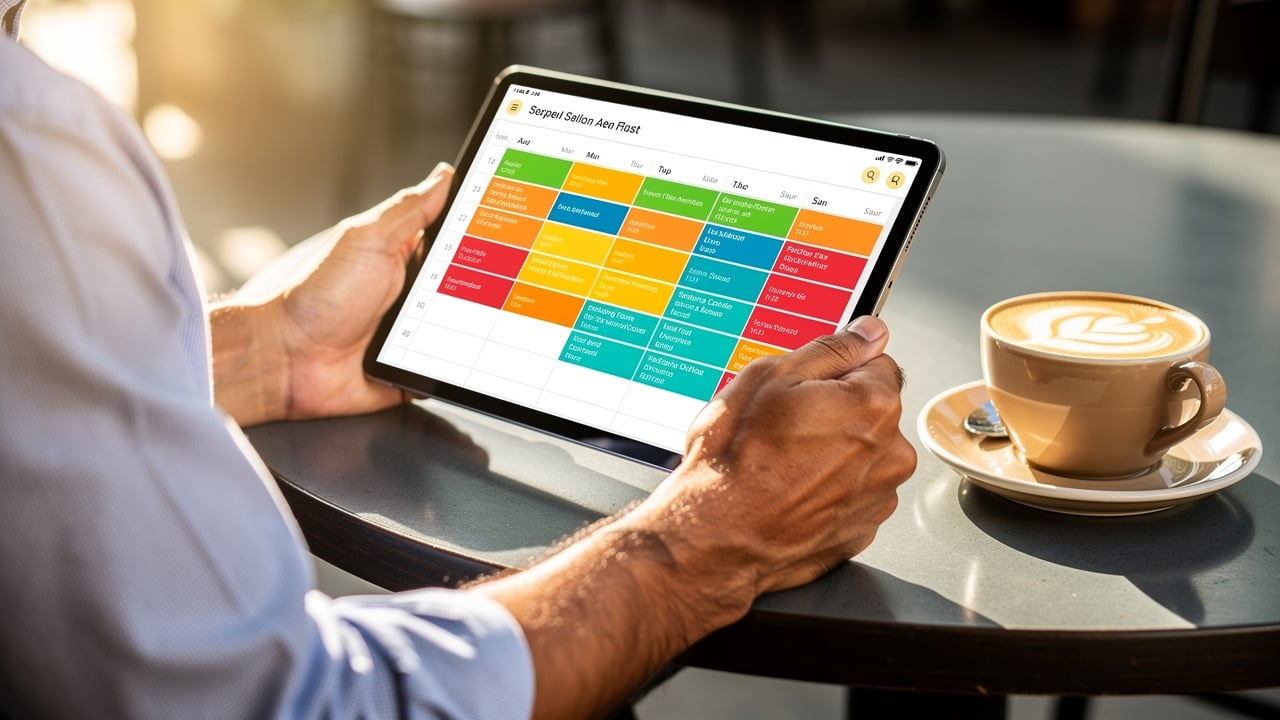
Choosing the right platform from the sea of social media scheduling tools is vital to streamlining your content strategy and maximizing engagement across platforms. Consider the following factors when choosing the best social media scheduling app:
- Platform compatibility: Ensure the tool supports all the social media platforms you use, including Facebook, Instagram, Twitter, LinkedIn, Pinterest, TikTok, and YouTube.
- User interface and experience: Opt for a social media scheduler with an intuitive, user-friendly interface to facilitate efficient scheduling and management.
- Features and functionality: Look for advanced features like bulk scheduling, content curation, analytics, team collaboration, and mobile app access to manage your social media on the go.
- Pricing: Evaluate the tool’s cost-effectiveness, taking into account your budget and the value it delivers.
- Customer support: Providing dependable support is crucial for prompt assistance and issue resolution.
- Scalability: Choose a tool that can grow with your needs, accommodating additional accounts or team members as required.
By assessing these factors, you can select the best social media scheduling tool that aligns with your specific requirements and enhances your social media management.
Now, without any delay, let’s explore the top social media schedulers.
Essential features of modern social media schedulers
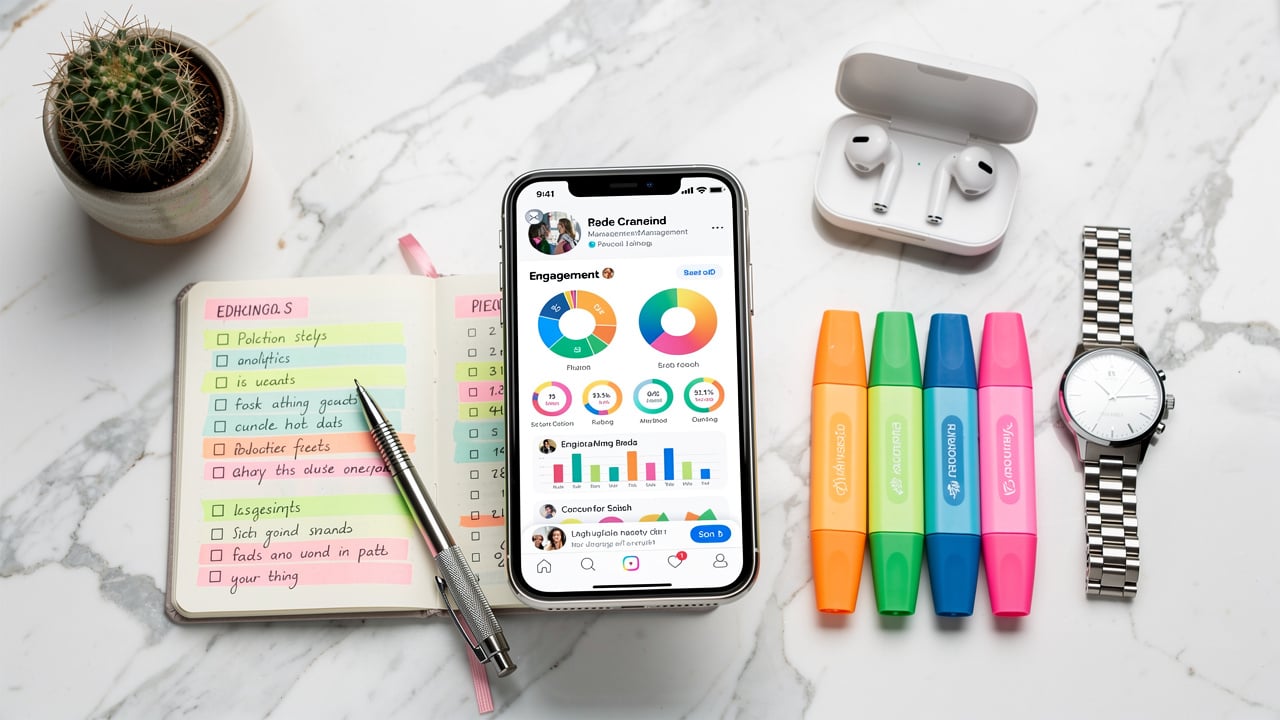
Social media scheduling tools have evolved far beyond simple “queue and forget” apps. When comparing platforms, consider must-haves, nice-to-haves, and advanced capabilities.
Core must-have features
Any serious social media scheduling platform should offer:
- Multi-platform scheduling and publishing
Connect and publish to major networks (Facebook, Instagram, LinkedIn, X, TikTok, Pinterest, YouTube, Google Business Profile) from a single dashboard, with the ability to customize each post for each channel. - Visual content calendar
A drag-and-drop calendar view that shows all scheduled, published, and pending posts. This makes it easier to spot gaps, avoid overlaps, and plan campaigns by week or month. - Bulk scheduling
The ability to upload a CSV or import multiple posts at once, so you can schedule social media posts in batches instead of one at a time. - Unified engagement (inbox or comment management)
A centralized place to monitor and respond to comments, mentions, and DMs. This keeps community management organized and helps you avoid missing any messages.
Valuable “nice-to-have” features
These aren’t strictly required, but can dramatically improve your workflow:
- AI-assisted content creation: Brainstorm post ideas, generate captions, rewrite copy for different platforms, and suggest hashtags or posting times.
- Content curation and discovery: Surface relevant articles, videos, or user-generated content so you can keep feeds fresh without starting from scratch daily.
- Creative and storage integrations: Direct connections to Canva, GIPHY, Unsplash, Google Drive, and Dropbox so you can attach and reuse assets without endless downloading and re-uploading.
- Optimal posting time recommendations: Data-backed suggestions for when to post on each channel based on historic performance and audience activity.
- Team collaboration and approvals: Roles, permissions, and multi-step approval flows to keep agencies, clients, and internal stakeholders on the same page.
- Link-in-bio tools: Mini landing pages that help you route traffic from Instagram and TikTok bios to your key pages and campaigns.
Advanced capabilities for bigger teams and enterprises
If you manage a large brand or many clients, look for:
- Social listening and reputation management: Monitor brand mentions, keywords, and competitors across the social web, plus sentiment analysis and alerts for spikes in activity.
- CRM and marketing stack integrations: Tie social interactions back to leads, customers, and revenue.
- White-labeling and client workspaces: For agencies: branded dashboards and reports, separate workspaces per client, and granular access controls.
- Crisis management controls: Features like “pause all scheduled posts” in sensitive moments so you don’t push tone-deaf content during a crisis.
Best social media scheduling tools in 2026 (top picks)
Now that you know what to look for, let’s explore the top social media schedulers. The tools below cover a range of needs, from budget-friendly tools for small businesses to enterprise-grade platforms for complex teams
1. ContentStudio
ContentStudio is a comprehensive social media management platform that streamlines content creation, scheduling, and analysis across multiple social networks. It offers a suite of tools tailored for agencies, brands, and marketers to enhance their online presence and engagement.
Key features
- Unified social media dashboard: Manage all your social media accounts from a single interface, allowing for efficient planning, scheduling, and publishing of content across various platforms.
- AI-powered content creation: Use the AI assistant to generate engaging captions, suggest relevant hashtags, and create compelling images.
- Collaborative tools: Facilitate teamwork with features like content approval workflows, shared calendars, and real-time collaboration.
- Advanced analytics and reporting: Monitor and analyze social media performance with in-depth insights, competitor benchmarking, and customizable reports to inform strategic decisions.
- Content discovery and curation: Stay ahead of trends by discovering relevant content from the web, YouTube, and Twitter, enriching your social media strategy.
- Automation capabilities: Automate repetitive tasks with features like bulk scheduling, evergreen campaigns, and RSS feed integration.
Pros
- User-friendly interface simplifies content planning and scheduling
- AI-powered tools assist in generating engaging captions and images
- Supports a wide range of platforms (Facebook, Instagram, X, LinkedIn, Pinterest, TikTok, YouTube, Google Business Profile, Threads)
- Unified inbox consolidates messages and comments for efficient engagement
- Collaboration tools streamline team workflows and approvals
- Affordable plans suitable for a wide range of business sizes
Cons
- Scheduling via the mobile app can feel unfamiliar for brand-new users
- Lacks full-scale social listening and sentiment analysis
Pricing
ContentStudio’s annual pricing:
- Starter: $19/month
- Pro: $49/month
- Agency: $99/month
A 14-day free trial is available so you can test all features before committing. Overall, ContentStudio stands out as a powerful social media scheduling tool that combines AI-driven, comprehensive scheduling with insightful analytics
2. Hootsuite
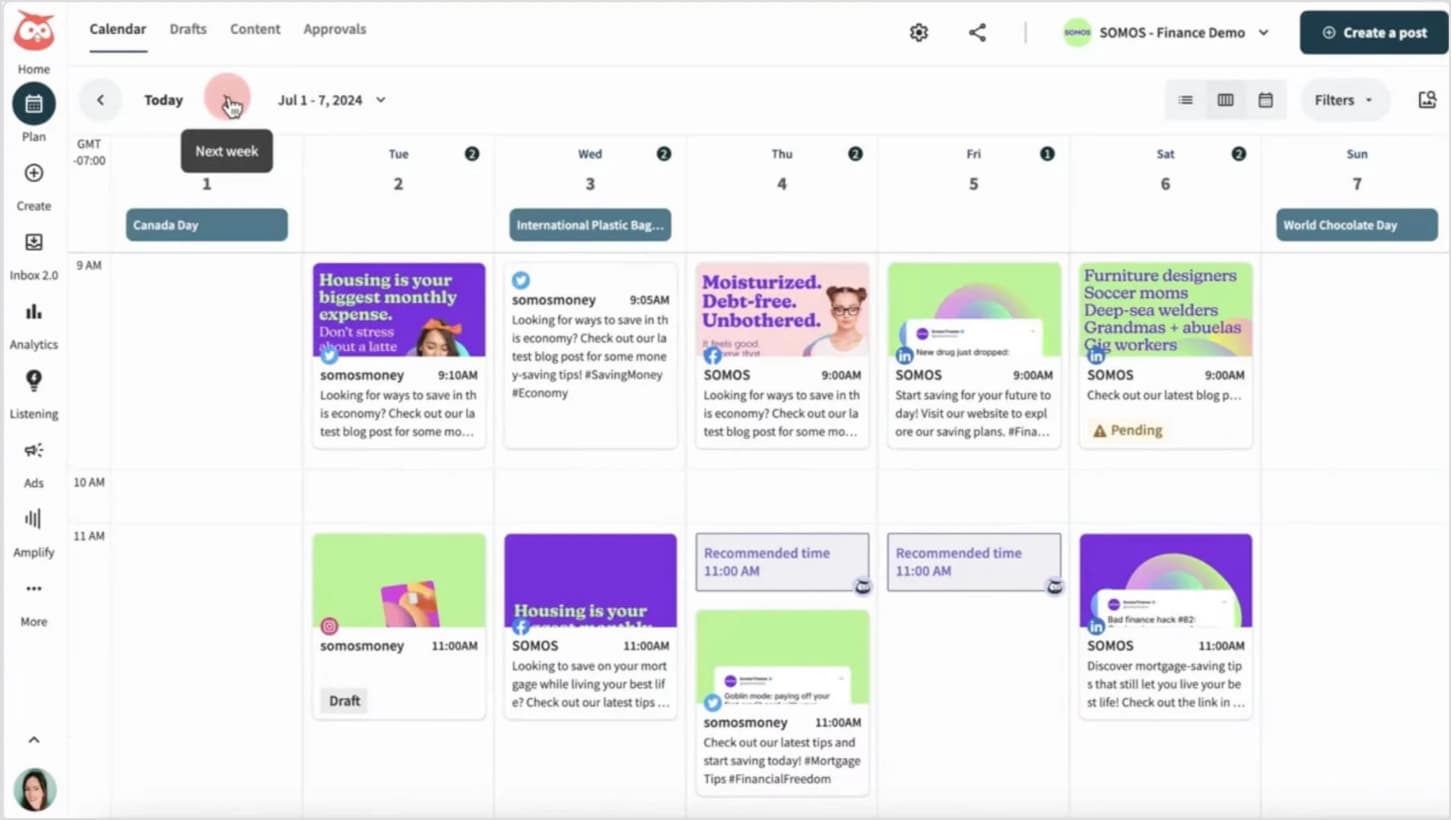
Hootsuite is one of the most powerful social media scheduling tools that simplifies content management across multiple platforms. It offers advanced scheduling, content planning, analytics, and collaboration tools, making it ideal for businesses and agencies looking for a comprehensive solution.
Key features:
- Multi-platform scheduling: Schedule posts in advance for Facebook, Instagram, X, LinkedIn, Pinterest, TikTok, and YouTube.
- Comprehensive content calendar: Plan, track, and adjust your scheduled posts for better visibility and consistency.
- Time zone synchronization: Optimize engagement by scheduling posts based on different audience locations.
- Bulk scheduling: Upload and schedule multiple posts at once to streamline content planning.
- OwlyAI (AI-powered assistant): Generate content ideas and optimize posts with hashtag recommendations and best posting times.
- Engagement and monitoring tools: Use the built-in social inbox to track mentions and respond quickly.
- Advanced analytics: Measure performance across platforms to refine your social media strategy.
Pros
- All-in-one tool suitable for managing multiple social media platforms
- Robust analytics and reporting features
- Supports a wide range of social networks
- Offers social listening and engagement tools
Cons
- Higher cost compared to other social media management tools
- Cannot tag Instagram accounts directly within the platform
- Interface can be overwhelming due to feature richness
Pricing
- Professional: $99/month (1 user, 10 accounts).
- Team: $249/month (3 users, 20 accounts).
- Enterprise: Custom pricing (for larger organizations).
Hootsuite is a premium choice for businesses looking to automate and enhance their social media presence. With its powerful scheduling, analytics, and engagement features, it’s an excellent tool for managing complex social strategies. However, the platform has a learning curve and a higher price tag, making it better suited to medium-to-large businesses than to solo marketers or startups.
Related: Hootsuite vs ContentStudio
3. RecurPost
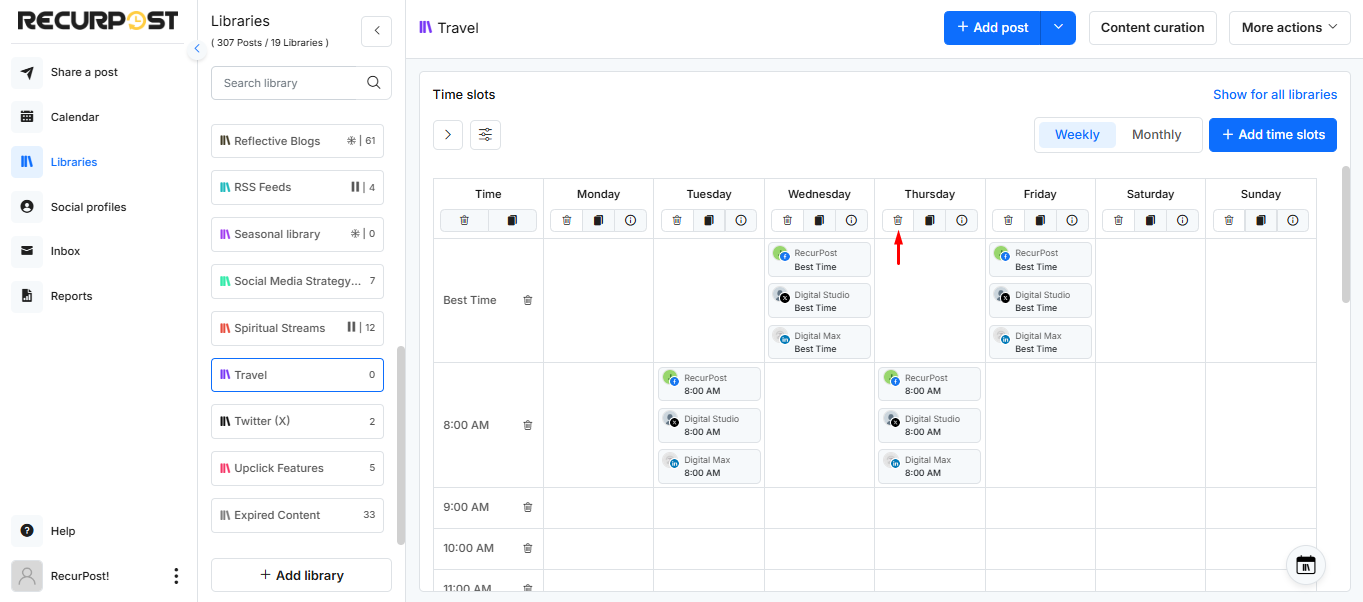
RecurPost is a social media scheduling tool designed to make posting simple, consistent, and stress-free. It helps you stay active across multiple platforms without having to log in every day. Its biggest strength lies in how it recycles your evergreen content so your top posts keep working for you over and over again.
The interface feels clean and easy to use, even for beginners. And because it’s built with creators, small businesses, and agencies in mind, the tool focuses on saving time, boosting visibility, and keeping your content calendar full without extra effort.
Key features
- Evergreen content recycling: One of RecurPost’s standout features. It automatically reshuffles and reposts your evergreen content, helping you stay active even when you don’t have new posts ready.
- AI caption & comment tools: The built-in AI writer helps craft captions, generate hashtags, write replies, and quickly adjust tone, saving loads of creative time.
- Team collaboration: Great for agencies and small teams. You can invite clients, review posts, manage approvals, and keep everything organized.
- Canva integration + bulk scheduling: Create your designs inside Canva and push them straight to RecurPost. Or upload a CSV and schedule posts in bulk. It’s perfect for high-volume content.
- White-label reporting: Agencies get PDF reports with custom branding for performance tracking and client presentations.
Pros
- Very pocket-friendly compared to most tools
- Best evergreen content recycling in the industry
- Advanced analytics are available only in higher plans
- Canva button for direct design-to-schedule
- Advanced analytics are available only in higher plans
Cons
- UI may feel simple if you prefer enterprise dashboards
- Advanced analytics available only in higher plans
- Takes a little time to explore deeper features
Pricing
- Starter: $9/month
- Personal/Small Business: $25/month
- Agency: $79/month
- Custom: For large teams needing special limits
RecurPost also includes a 14-day free trial (no credit card needed).
RecurPost is a great choice if you want a scheduling tool that saves time, keeps your feed active, and makes content creation easier without breaking the bank. Its automation and evergreen posting give you an edge, especially if maintaining consistency has been hard.
4. Sprout Social
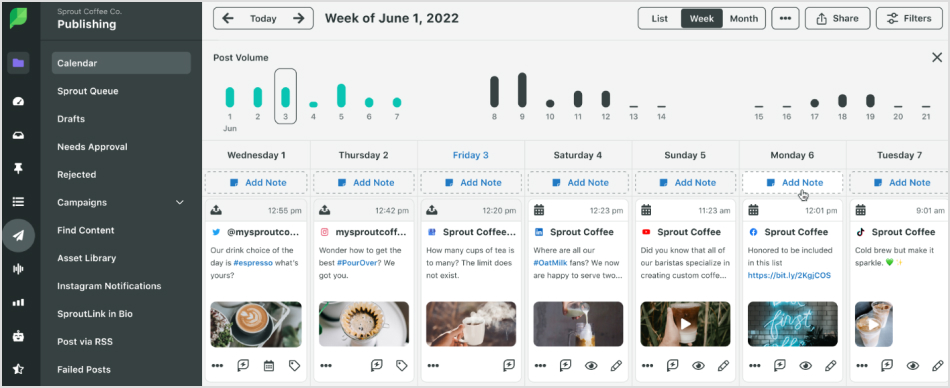
Sprout Social is an advanced social media scheduling tool designed to optimize social media management efficiency. It provides a comprehensive solution for businesses of all sizes, allowing them to manage, schedule, and track content across multiple platforms.
Known for its comprehensive interface, Sprout Social’s scheduling tool relies on data-driven insights to help businesses post at the most optimal times, ensuring higher engagement. The platform also excels in collaboration features, making it a go-to tool for teams working on large-scale social media strategies.
Key features
- Optimized scheduling: Sprout Social uses data-driven insights to recommend the best times to post, increasing the likelihood that posts reach and engage a larger audience.
- Collaborative workflow: It facilitates seamless collaboration with team members. Tasks like drafting, reviewing, and approving posts are integrated into the platform, enhancing workflow efficiency, especially for large teams.
- Comprehensive calendar view: Sprout’s interactive calendar allows you to plan and organize all your scheduled posts in one place. This makes it easy to visualize and manage your content strategy, avoiding double-booking or missing posts.
Pros
- Enterprise-level features for large businesses and agencies
- Best-in-class reporting and analytics
- Easily manage multiple accounts and platforms
Cons
- Extremely expensive compared to other tools
- Higher learning curve than other platforms
- Post scheduler is less usable than some competitors
- Customer service can be slow and unresponsive at times
Pricing
- Standard: $249/month (5 users)
- Professional: $399/month (Unlimited users)
- Advanced: $499/month (Unlimited users)
- Enterprise: Custom pricing
Sprout Social offers an all-in-one solution for businesses that need comprehensive social media management, including scheduling, publishing, and collaboration features. However, its premium pricing may make it less accessible for smaller businesses or individuals.
Related: Sprout Social vs ContentStudio
5. Sendible
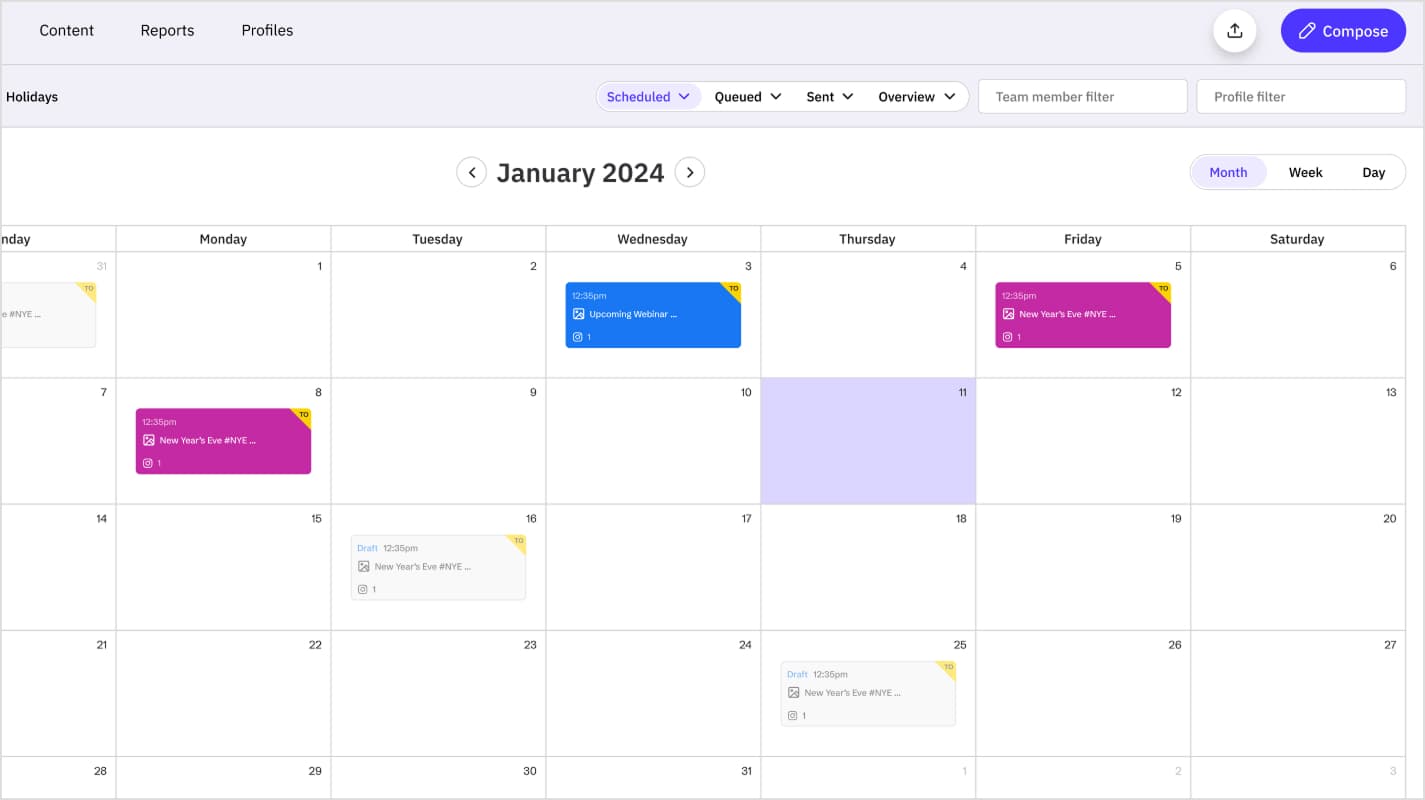
Sendible is one of those social media scheduling tools that are specifically designed for agencies, businesses, and teams looking for an all-in-one solution to manage multiple social media accounts. It simplifies content scheduling, social listening, and collaboration, making it an excellent choice for brands looking to streamline their social media workflow.
Key features
- Advanced post scheduling: Schedule posts across multiple platforms, including Facebook, Instagram, Twitter, LinkedIn, TikTok, YouTube, and WordPress. The Smart Queues feature automates publishing by setting up recurring posting schedules, ensuring consistent content delivery.
- Intuitive content calendar: Get a visual overview of scheduled posts to manage campaigns efficiently. The calendar includes holiday hashtags and trend suggestions to make content planning easier.
- White-labeling and client management: Agencies can customize the platform with their branding using white-label options. Sendible also offers client dashboards and approval workflows for seamless collaboration.
- Social listening and engagement: Monitor brand mentions and audience conversations with built-in social listening features. The social inbox consolidates messages from multiple platforms, allowing teams to respond quickly.
- Analytics and reporting: Generate in-depth analytics and customizable reports to track engagement, audience growth, and campaign effectiveness, helping businesses refine their social media strategies.
Pros
- Unlimited scheduling across all plans
- User-friendly content calendar
- Optimal posting time suggestions
Cons
- No AI writing assistant
- Pinterest scheduling is supported
- Engagement tools are limited to Facebook, LinkedIn, and Twitter
- Can feel overwhelming due to its many features
Pricing
- Creator: $29/month (1 user, 6 social profiles)
- Traction: $99/month (4 users, 24 social profiles)
- Scale: $199/month (7 users, 49 social profiles)
- Advanced: $299/month (20 users, 100 social profiles)
- Enterprise: $750/month (80 users, 400 social profiles)
Related: ContentStudio vs Sendible
6. Later
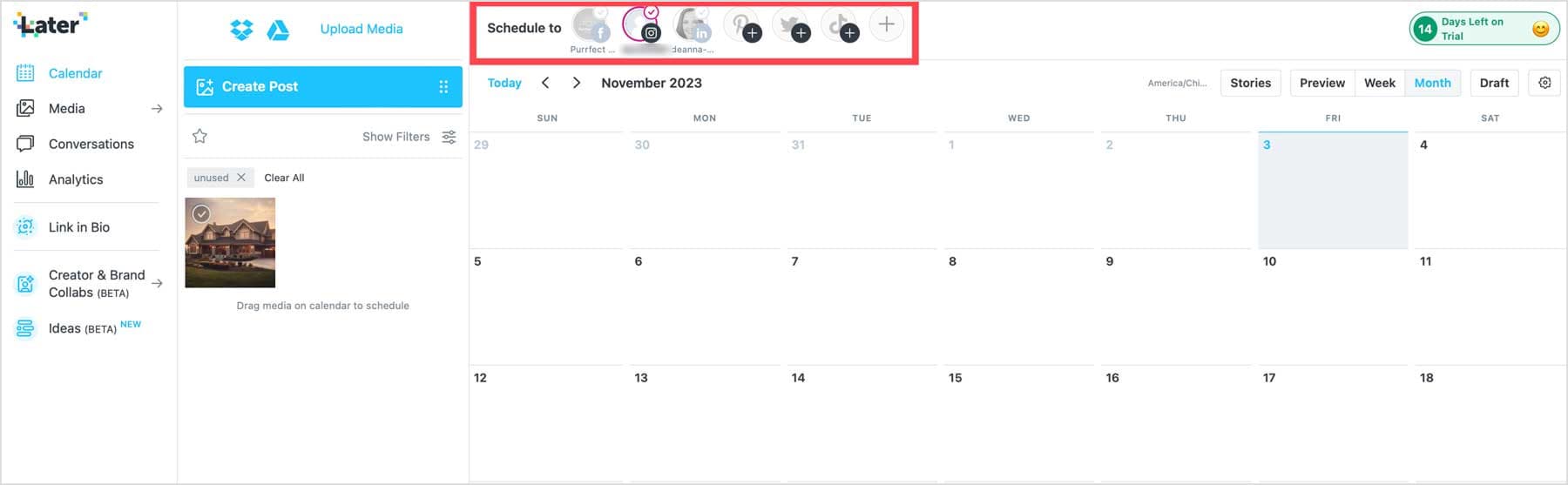
Later is a powerful social media scheduling tool that offers deep integration with TikTok, Meta, and Pinterest. It provides a user-friendly visual planner, advanced scheduling features, and built-in design tools to optimize content for different platforms. While it supports multiple social networks, its strongest focus is on Instagram, making it ideal for Instagram marketers.
Key features
- Social media scheduling: Auto-publish posts to leading platforms, including Facebook, Instagram, TikTok, LinkedIn, Pinterest, and Twitter. It also supports direct scheduling for Reels and Carousel posts.
- Visual planner: Preview how your scheduled posts will look in your feed and rearrange them as needed in a live preview.
- Media library: Upload and store images and videos in a centralized library for easier scheduling.
- AI caption writer: Generate captions for posts in seconds using AI-powered suggestions.
- Hashtag suggestions: Get relevant hashtags for Instagram, Facebook, and Twitter posts to maximize reach.
- First comment scheduling: Schedule the first comment on Instagram posts to hide hashtags and keep captions clean.
- Link in bio tool: Create a custom link-in-bio page for Instagram and TikTok to drive traffic to multiple destinations.
- Search brand mentions: Find and repurpose user-generated content from tags and mentions.
- Analytics and reporting: Track performance with in-depth Instagram analytics and personalized insights to improve content.
- Mobile app: Manage and schedule posts on the go from your smartphone.
- Brand collaboration tools: Connect with creators and manage influencer campaigns directly within Later.
Pros
- Intuitive drag-and-drop content calendar
- Great for visual content planning
- Suggests the best hashtags for posts
- Supports major social platforms
- Customizable link in bio for Instagram
Cons
- Unlimited scheduling is only in the Enterprise plan
- No built-in social inbox or listening tools
- No Google Business profile scheduling
- No free plan, only a limited free trial
Pricing
- Starter: $25/month (1 user, 1 social set)
- Growth: $45/month (3 users, 3 social sets)
- Advanced: $45/month (6 users, 6 social sets)
Later is an excellent tool for visual content planning and Instagram-first marketing, offering a range of powerful features to streamline content creation and scheduling.
7. CoSchedule
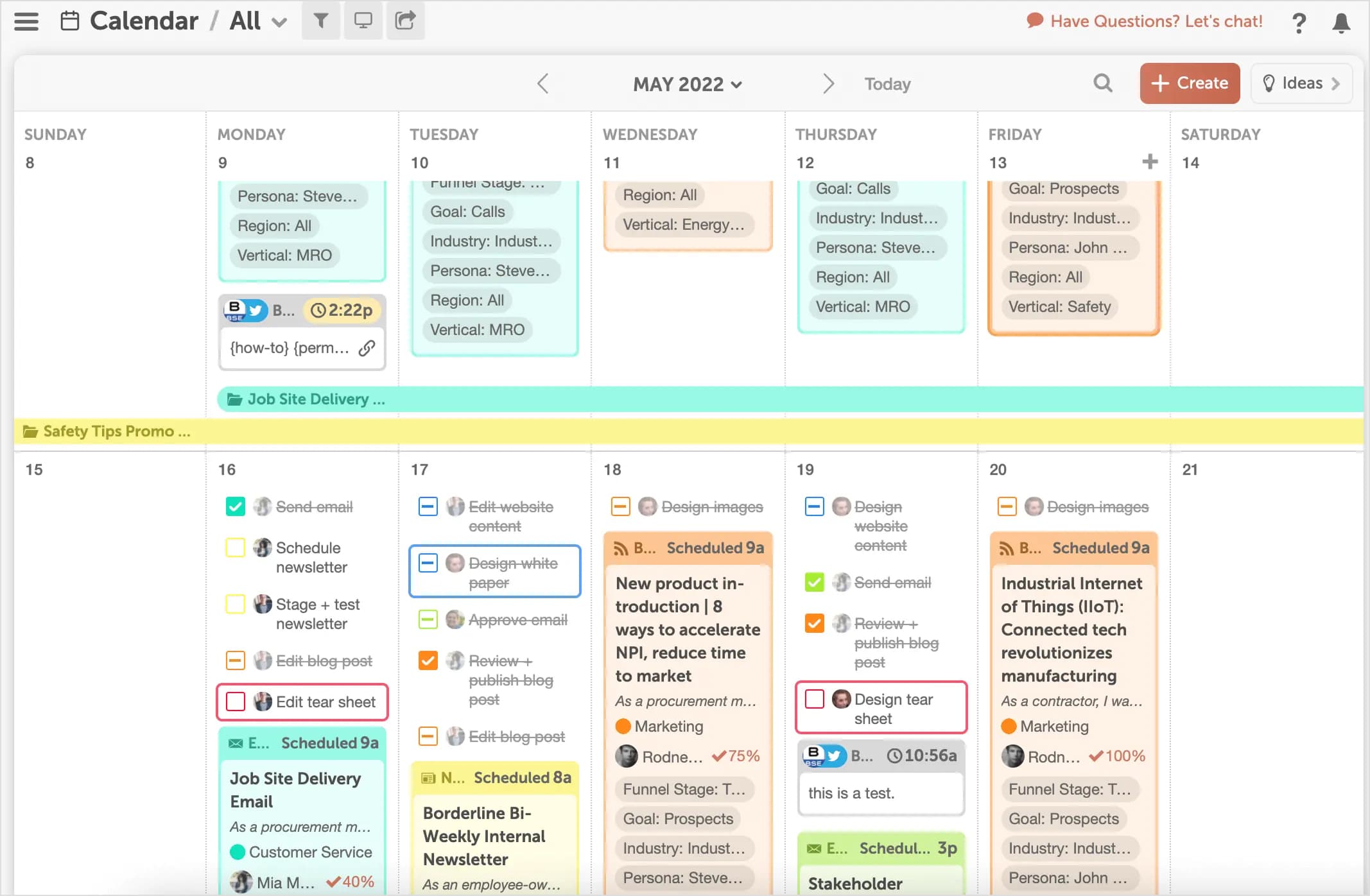
CoSchedule is a project management tool that can also be used for social media scheduling. It is designed to streamline marketing workflows, including social media scheduling. It offers a marketing calendar that helps social media professionals plan, organize, and automate content across multiple platforms. While not a full-scale social media tool, CoSchedule excels at integrating marketing activities like blog posts, email marketing, and events into a unified calendar.
Key features
- Best time to post: Uses advanced algorithms to determine optimal posting times based on audience engagement.
- Social queue filling: Automatically schedules posts to the best available times to maintain a consistent social media presence.
- Bulk scheduling: Upload and schedule multiple posts at once, saving time on manual scheduling.
- ReQueue Bucket: Automatically reshares evergreen content when there’s a gap in your posting schedule.
- Social media optimizer: Helps tailor captions and content for different social media platforms.
- Analytics and reporting: Features like the Top Content Report help track social media campaign performance by identifying high-performing content.
- Marketing campaign integration: Allows coordination of blog posts, email marketing, events, and social media in a single calendar.
- Platform integrations: Works with Facebook, Instagram, LinkedIn, Twitter, WordPress, MailChimp, and other marketing tools.
Pros
- Powerful scheduling for long-term planning
- Saves time with automated posting
- Great for businesses managing multiple platforms
Cons
- Great for businesses managing multiple platforms
- Collaboration and templates require the pro version
- User interface can feel outdated and unintuitive
- Lacks some modern features found in competitors
Pricing
- Free: Basic marketing calendar with limited features
- Social calendar: $19/month
- Agency calendar: $49/month
- Content calendar: Custom
- Marketing suite: Custom
Overall, CoSchedule offers a range of features that can enhance social media management and content scheduling. While its intuitive design and comprehensive tools are beneficial, potential users should consider the pricing structure and assess whether it aligns with their specific needs and budget.
8. Buffer
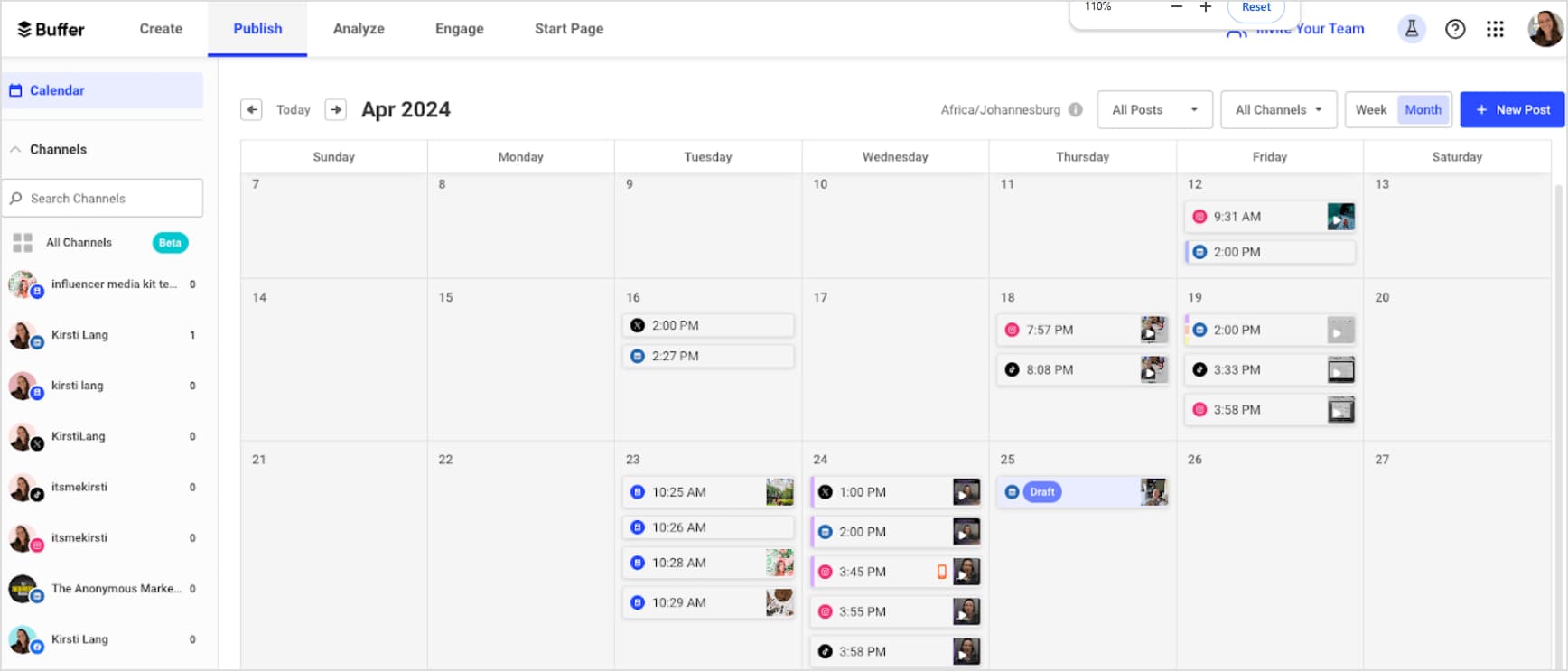
Buffer is a budget-friendly and user-friendly social media scheduling tool that supports multiple platforms, including Instagram, Facebook, Twitter, LinkedIn, Pinterest, TikTok, Mastodon, Google Business, and Shopify. It’s ideal for small businesses, marketers, and teams who need an efficient way to plan, schedule, and analyze social media content.
Key features
- Multi-platform scheduling: Supports a wide range of social networks, including Mastodon.
- AI Assistant: Generates post ideas, repurposes content, and provides inspiration.
- Customizable scheduling: Schedule posts at set times or add them to a queue for automatic posting.
- Collaboration tools: Manage roles, approvals, and team workflows for seamless content creation.
- Analytics & engagement: Monitor performance, track audience interactions, and respond to messages.
- Start Page (link-in-bio tool): Helps drive traffic from social media to multiple links or CTAs.
- Mobile scheduling: Use the Buffer app on iOS and Android to schedule posts on the go.
Pros
- Simple and clean user interface
- Supports niche platforms like Mastodon and Bluesky
- Affordable pricing plans
- Helps convert social traffic into sales with link tools
Cons
- No built-in content curation tool
- Limited collaboration tools for teams
- Pricing structure can get expensive for multiple social accounts
- No automatic publishing for TikToks and Instagram Stories
- Customer support could be better
Pricing
- Free: Basic publishing and analytics tools
- Essentials: $5/month per channel
- Team: $10/month per channel
Buffer is a great choice for businesses looking for an affordable yet powerful social media scheduler. It stands out with its simple interface, AI-powered assistance, and generous free plan. However, its content discovery and analytics could be more advanced. If you need a cost-effective, all-in-one scheduler with basic insights, Buffer is a solid option.
9. Zoho Social
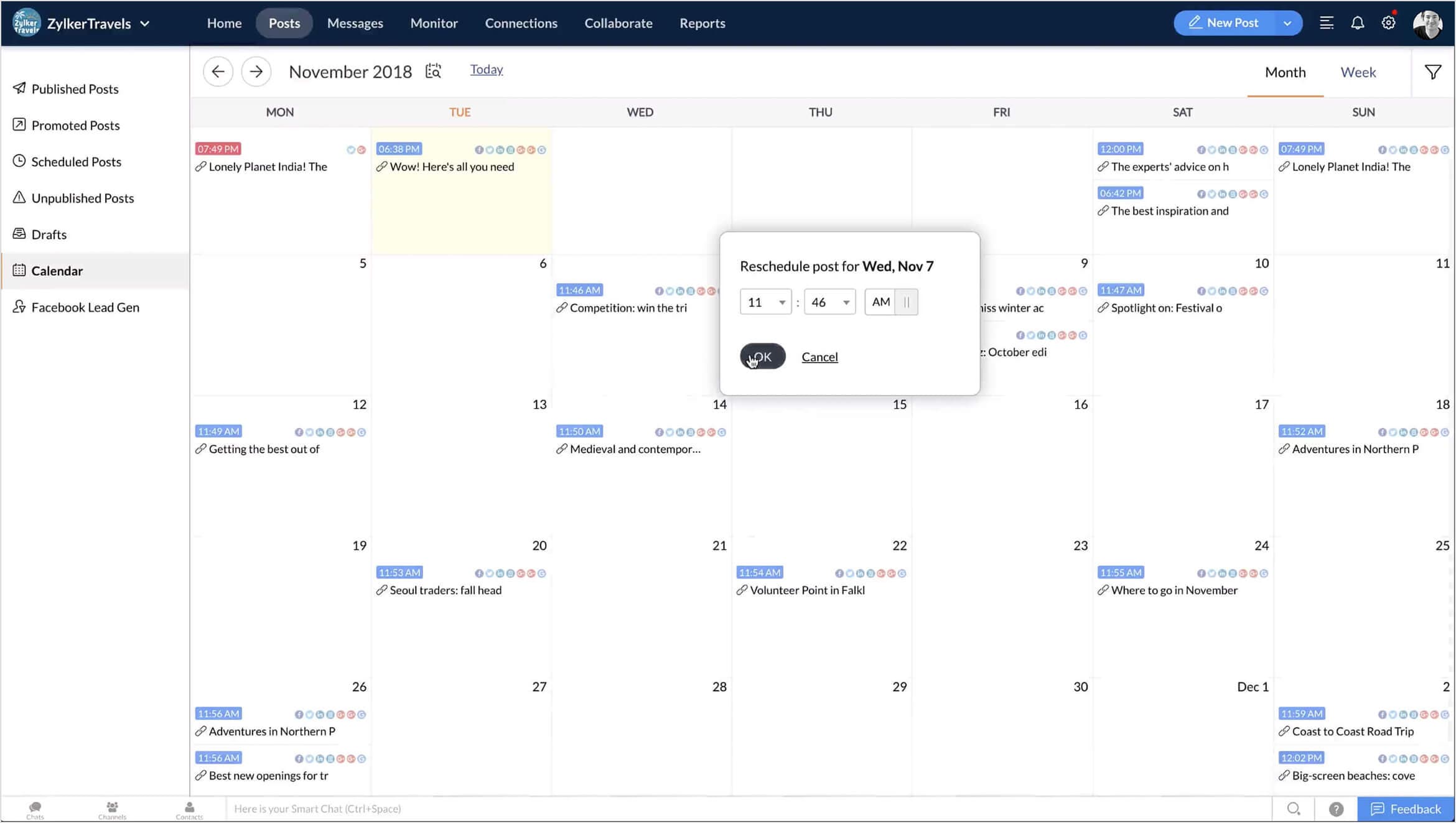
Zoho Social is an all-in-one social media management platform designed for businesses and agencies looking to enhance their marketing strategies. I find it to be a great alternative to more expensive tools like Sprout Social, offering a balanced mix of scheduling, analytics, and collaboration features without the hefty price tag.
Key features
- Multi-platform scheduling: Supports Instagram, Facebook, Twitter, LinkedIn, Pinterest, YouTube, TikTok, and Google Business Profile.
- Bulk scheduling: Transfer posts from a spreadsheet to the Zoho Social content calendar.
- Advanced analytics & reporting: Gain insights with custom and pre-built reports to optimize your social media strategy.
- Editorial calendar: Organize content, schedule posts, and set up publishing queues for better workflow management.
- Social listening: Monitor keywords and mentions to track industry trends and engage with your audience.
- Collaboration tools: Assign roles, discuss posts, and manage approvals within teams.
- Mobile app: Schedule, track, and manage posts on the go.
Pros
- User-friendly interface simplifies social media management
- Supports multiple social media platforms
- Seamless integration with other Zoho applications
Cons
- Collaboration features may not suit complex workflows
- Analytics and reporting are less robust than specialized tools
- Mobile app lacks some functionalities compared to the web version
- Limited support for less popular social media channels
Pricing
- Standard: $15/month per brand
- Professional: $40/month per brand
- Premium: $65/month per brand
Zoho Social is a fantastic choice for businesses and agencies needing an affordable yet powerful social media tool. The intuitive dashboard, strong analytics, and team collaboration features make it stand out. While it may not be as feature-rich as ContentStudio, it delivers great value for money and is a solid option for social media managers looking for efficiency.
10. Tailwind
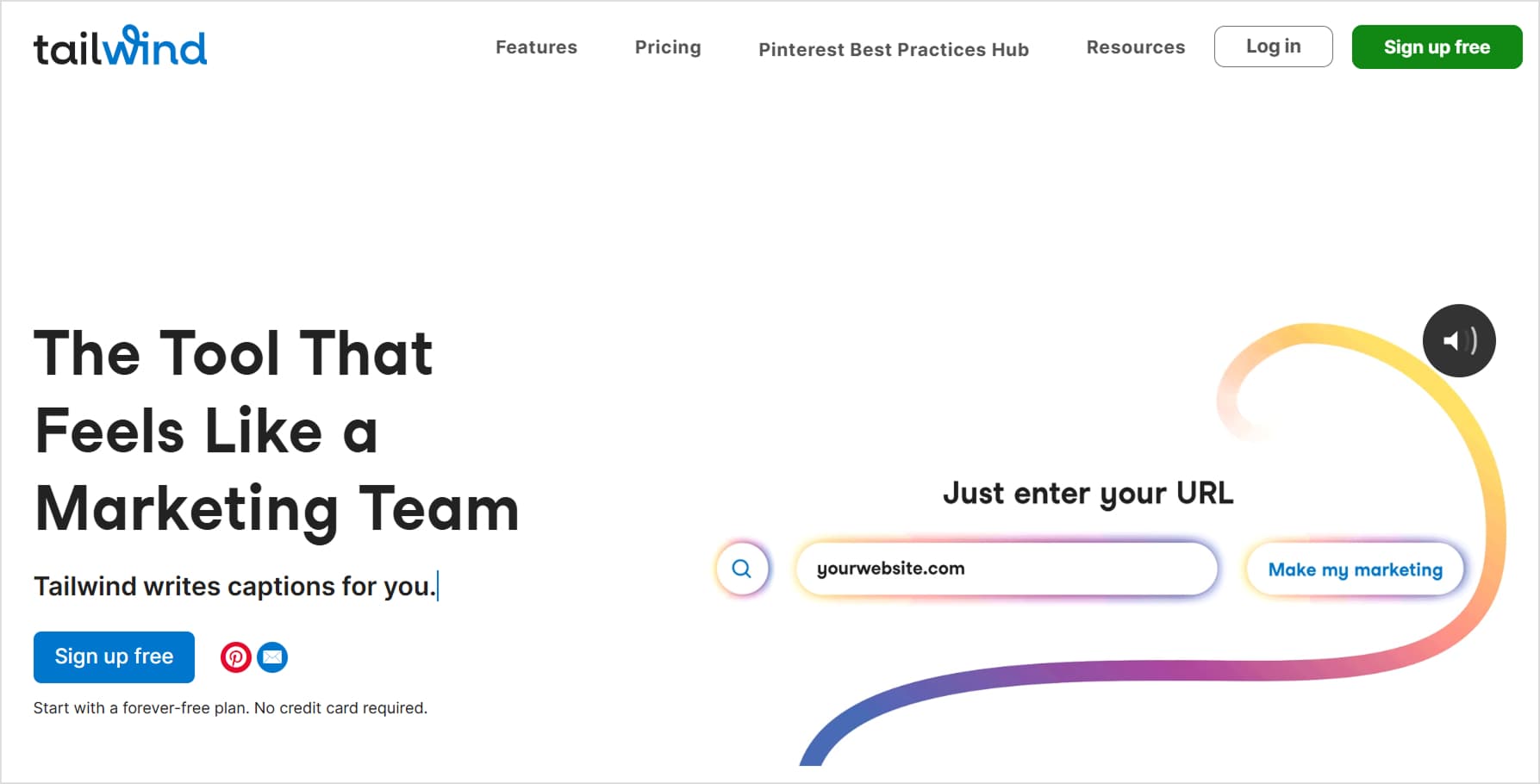
Tailwind is quite different from other social media scheduling tools because it is designed primarily for Pinterest and Instagram, making it an excellent choice for marketers who are focused on visual content.
While it also integrates with Facebook, it lacks support for other major social platforms, which may require users to supplement it with additional tools.
Key features
- Pinterest and Instagram scheduling: Specializes in scheduling and automating posts for visually-driven platforms.
- Content discovery: Finds and suggests high-quality content (mainly images) for users to post.
- Drag-and-drop functionality: Simplifies post creation and scheduling.
- Bulk scheduling: Allows users to upload and schedule multiple posts at once.
- Smart scheduling: Recommends peak engagement times to maximize reach and interaction.
- Analytics and monitoring: Tracks post performance and engagement metrics to optimize social strategies.
Pros
- User-friendly reporting and analytics
- Automated content creation and design features
- Offers a free plan with basic features
Cons
- Supports only Pinterest, Instagram, and Facebook
- Higher cost
- Some users report issues with customer support responsiveness
- Lacks support for platforms like Twitter and LinkedIn
Pricing
- Pro: $24.99/month
- Advanced: $49.99/month
- Max: $99.99/month
11. Agorapulse
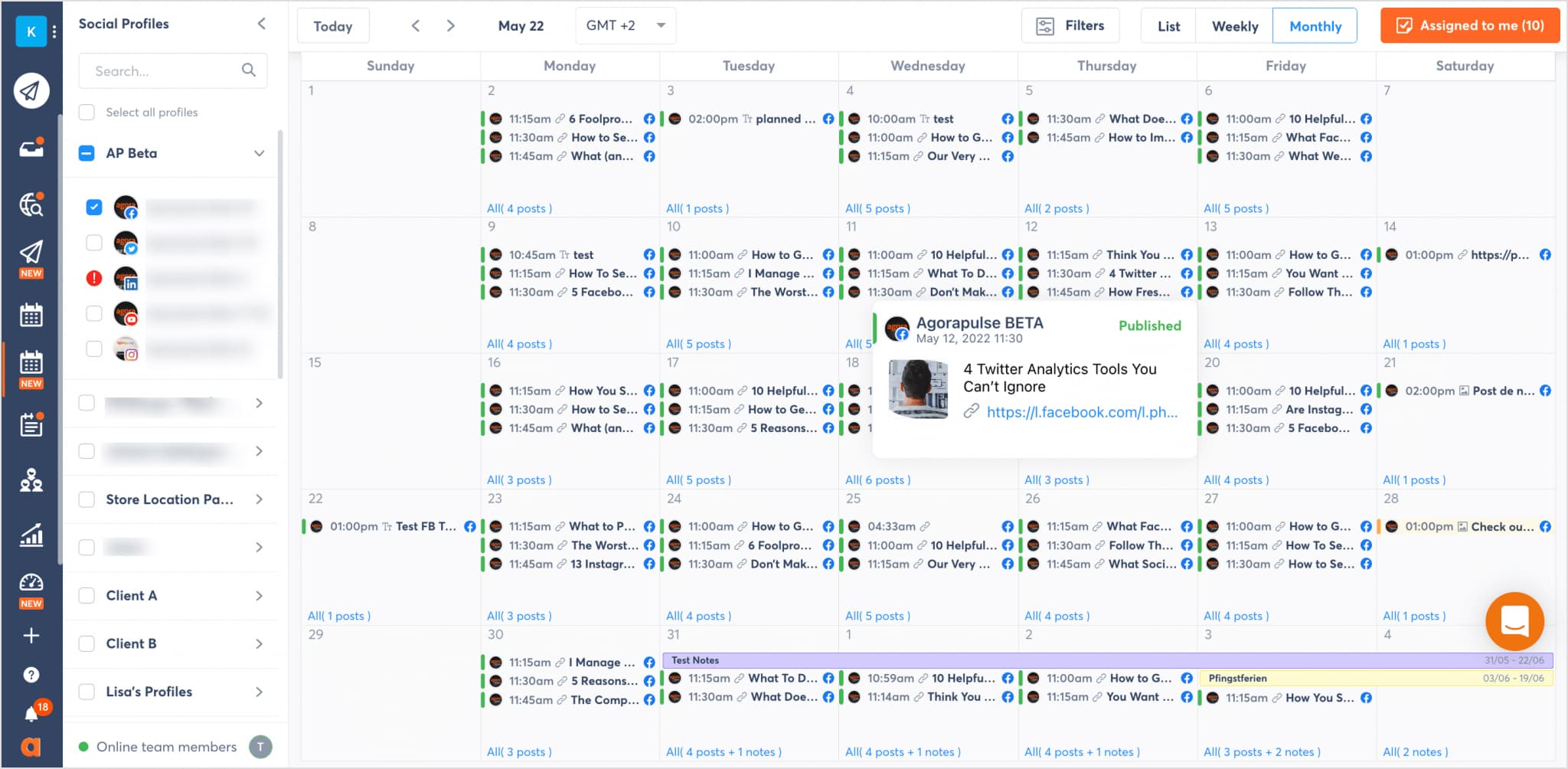
Agorapulse is an all-in-one social media management tool that offers scheduling, engagement, monitoring, and reporting at a reasonable price. I find it a great option for businesses and agencies looking for a user-friendly, collaborative platform.
With support for Facebook, Twitter, Instagram, LinkedIn, Google Business Profile, YouTube, and TikTok, it ensures consistency across multiple platforms.
Key features
- Collaborative scheduling: Plan, schedule, and publish posts with team workflows and approval processes.
- Publishing calendar: A drag-and-drop interactive calendar with multiple view options.
- Content queues: Automate posting with predefined schedules to save time.
- Social inbox: Collect and filter all comments, messages, and mentions for easy engagement.
- Canva integration: Design and edit social media graphics directly within the platform.
- Mobile app: Manage and schedule content on the go.
Pros
- Unlimited posts available on all plans
- Supports major social networks
- Provides advanced reporting features
Cons
- Higher cost for additional user accounts
- Does not support scheduling to niche platforms like Mastodon or Twitch
- Does not support scheduling to niche platforms like Mastodon or Twitch
- Pricing can be expensive for teams due to per-user charges
- Lacks Pinterest publishing support
Pricing
- Free: Basic features for 1 user, 3 social profiles.
- Standard: $99/user/month (10 social profiles)
- Professional: $149/user/month (10 social profiles)
- Advanced: $199/user/month (10 social profiles)
- Custom: Custom pricing
Agorapulse is a solid choice for agencies and social media managers who need a scheduling tool with robust collaboration, reporting, and monitoring features. The clean interface, AI-powered tools, and advocacy campaigns set it apart. However, pricing per user can be costly for larger teams, making it less budget-friendly for big agencies.
Related: 15 best Agorapulse alternatives for agencies and marketers
12. SocialPilot
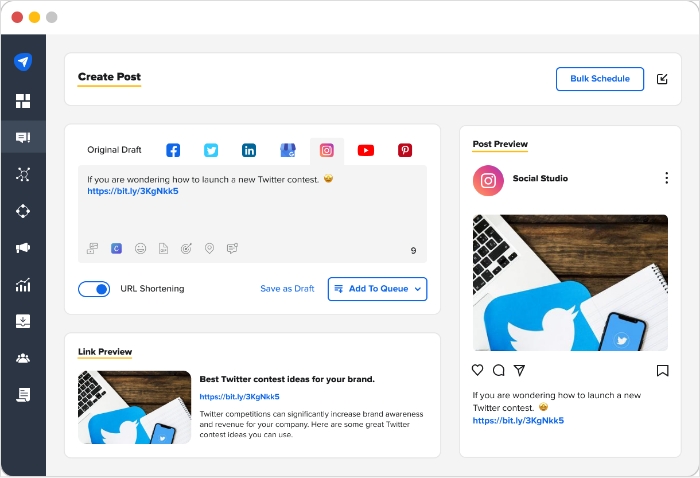
SocialPilot is a budget-friendly social media management tool designed for agencies and businesses handling multiple accounts. It provides bulk scheduling, client collaboration, and white-label reporting, making it a solid choice for teams managing social media at scale.
Key features
- Multi-platform scheduling: Plan and post across Facebook, Instagram, LinkedIn, Twitter, and more.
- Bulk scheduling: Upload and schedule multiple posts at once, saving time on large campaigns.
- Time zone flexibility: Schedule posts for different time zones to reach your audience at optimal times.
- Client management: Provide white-label dashboards and post approvals for seamless client collaboration.
Pros
- User-friendly interface simplifies scheduling across multiple accounts
- White-label customization options for branding
- Supports all major social media platforms
Cons
- No free plan available
- Limited to one social account per brand
- Fewer integrations compared to competitors in the field
- The user interface could be improved for a more modern experience
Pricing
- Essentials: $25.50/month (7 social accounts)
- Standard: $42.50/month (15 social accounts)
- Premium: $85/month (25 social accounts)
- Ultimate: $170/month (50 social accounts)
Overall, SocialPilot is a great tool for agencies that need bulk scheduling, client approvals, and collaboration features. However, if you’re only managing a few accounts, you might find better value elsewhere.
Related: Best SocialPilot alternatives
Free social media scheduling tools
Many people don’t want to invest heavily in social software right away, so they look for a free social media scheduler to get started. While free social media scheduling tools are appealing, most come with significant limitations in terms of profiles, posts per month, analytics, and collaboration. For long-term, consistent scheduling, a paid plan is usually the more reliable option. If you still want a basic or temporary option, here are two effective ways to schedule social media posts for free:
1. Use the trial versions of social media schedulers
One of the smartest ways to experience premium social media scheduling tools without paying upfront is to use a free trial from a top platform like ContentStudio.
- Get full access to ContentStudio’s entire suite of features for 14 days with a free trial, no billing details required.
- Use multiple scheduling options, multi-platform publishing, content calendar management, automation, and analytics during the trial.
This approach lets you see what professional-grade scheduling platforms feel like before deciding whether to upgrade.
2. Use native scheduling features
Most major networks now offer limited built-in scheduling tools you can use at no additional cost:
- LinkedIn: Lets you schedule posts natively.
- Meta Business Suite: Allows scheduling for Facebook and Instagram.
- Twitter/X: Supports native scheduling, but lacks advanced automation.
- Pinterest: Offers built-in scheduling for Pins.
These native tools are helpful for simple, channel-specific scheduling. However, they don’t replace full social media scheduling tools, as they lack cross-platform scheduling, unified analytics, team collaboration, and a consolidated content calendar.
Conclusion
Selecting the right social media scheduling app is one of the most effective ways to improve consistency, save time, and boost engagement across your channels. By evaluating:
- Which platforms you need to support
- How complex your workflows are
- Which features you care about most (AI, analytics, collaboration, automation)
- How much budget you can allocate
You can narrow down the tools that realistically fit your needs. Whether you’re a solo creator, a growing agency, or an enterprise team, investing in a well-chosen social media scheduling tool will help you run a more strategic, data-backed, and efficient social program, without being glued to your feeds all day.
Social Media Content Calendar
Stay consistent and organized with Contentstudio’s social media content calendar for marketers and agencies.
Get Started for FREE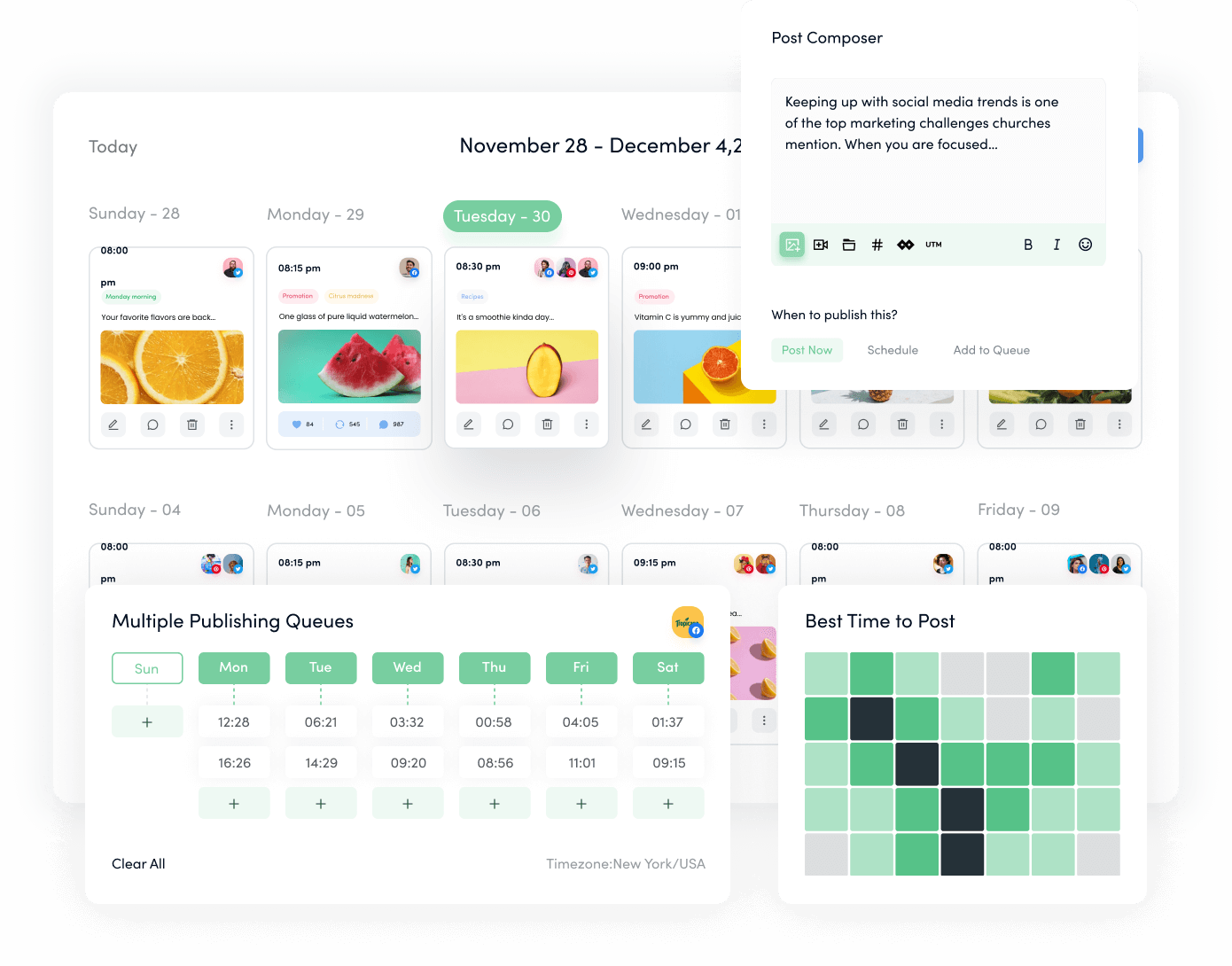
FAQs
Social media scheduling tools are platforms that let you plan, create, and publish content across multiple networks in advance. Instead of posting manually, you add content to a calendar, and the tool handles publishing at the times you choose, helping you maintain a consistent online presence.
Using a social media scheduler saves time and reduces day-to-day stress. You can batch-create content, maintain consistent posting schedules, and align your posts with campaigns or launches. This typically leads to better audience engagement, stronger brand visibility, and a more organized social media strategy.
Look for:
Multi-platform support
A clear, user-friendly interface
Bulk scheduling and queue management
Content curation or discovery options
Analytics and reporting
Team collaboration and approval workflows
A mobile app for on-the-go management
These features together make social media scheduling more efficient and strategic.
Yes. Some tools offer generous free plans, and many, like ContentStudio, offer full-featured free trials. These are excellent ways to test scheduling platforms before committing to a subscription.
Mobile apps let you manage your social media scheduling from anywhere. You can approve content, adjust schedules, monitor performance, and respond to comments or messages in real time, keeping your social media strategy agile even when you’re away from your desk.
Recommended for you
How to create brand-aligned content using ContentStudio’s AI writing assistant
Top 10 AI video generation trends & use cases everyone should watch

Social media management costs in 2026: A pricing guide for businesses







Powerful social media management software
7-day free trial - No credit card required.